Microsoft

Microsoft Teams Shortcuts

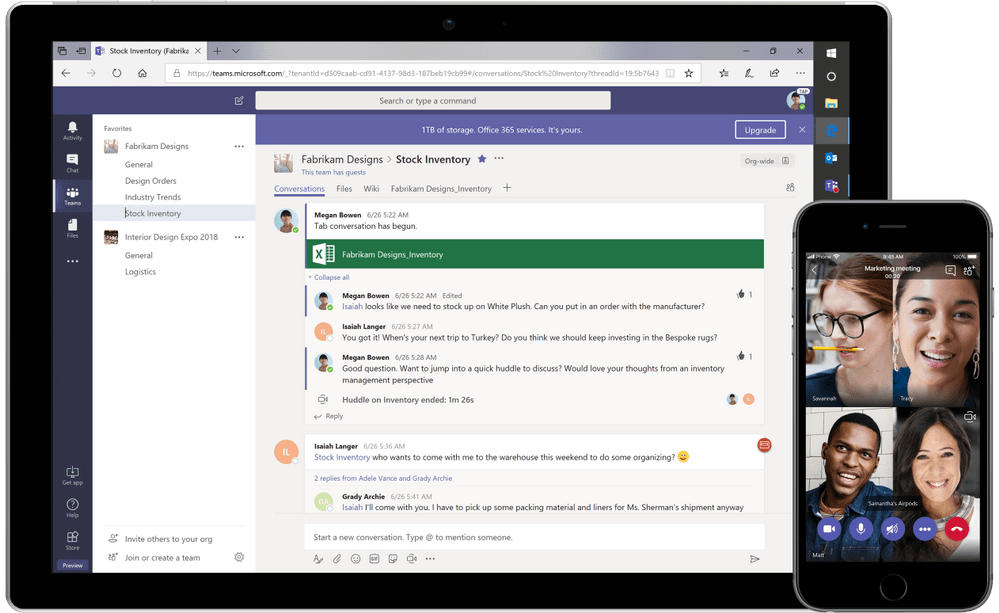
How often do you use shortcut commands such as Ctrl + C or Ctrl + V? Mostly likely a lot, or more than you can count. The truth is learning how to use to shortcut commands help us as users to familiarize with the system and use it. Same goes for Microsoft Teams! If you are struggling to find documents, things, or functions in Teams check our these shortcut commands. You may find they make it easier to embrace Microsoft Teams. Navigation- Alt +1 = Activity Alt + 2 = Chat Alt + 3 = Teams Alt + 4 = Meetings Communication- Ctrl + Shift +D = Decline Call Ctrl + Shift +S = Accept Call Other examples- Alt + E = Go to Search Alt + N = New Chat The command bar is another great tool in Teams that allows you to do some shortcut functions without typing ...


2023-02-16T16:01:33+00:00

Azure Information Protection

How do you ensure your organization's confidential documents are accessible by approved eyes only? Fear not. Azure Active Information Protection can be your trusted friend to ensure that the sensitive data is well protected when appropriate groups or policies are set up and implemented. Specifically, Azure Information Protection, which is data loss prevention (DLP) for documents can be utilized to secure your confidential data. This blog provides a high-level overview of the DLP solution for Microsoft Azure. There are some different ways to start leveraging the platform and protecting your sensitive documents. Labels Place appropriate labels on your documents - you can have these labels applied by the users as they're editing documents Using client application and plugins into the office applications to apply labels when editing documents Customize your labels to control access to the documents by department or personnel. Create visual marking on the documents, such as header, ...

2023-02-16T16:01:33+00:00

Windows Security Update Headache? Try This Fix.

Security matters – we all understand that.  No matter how highly refined an operating system or environment may be, there will always be some areas of vulnerability – and there will always be someone looking to take advantage of them. Generally, we can be grateful for the fact that Microsoft is pretty diligent about rooting out these vulnerabilities and addressing them; those periodic security updates have undoubtedly saved an incalculable amount of grief. That’s not to say, though, that the update process will always be hassle-free. Safety comes at an occasional cost, at least in terms of convenience. Many of us were reminded of this with the recent release of Windows Security Update Fix KB4103727. Users who have implemented the patch and who use remote desktop to connect to a server can find themselves shut out unexpectedly. An error message such as the following is typical:   The problem is ...

2023-02-16T16:01:38+00:00

Use Report Builder 2012 to Visualize Your SharePoint Data Part 2

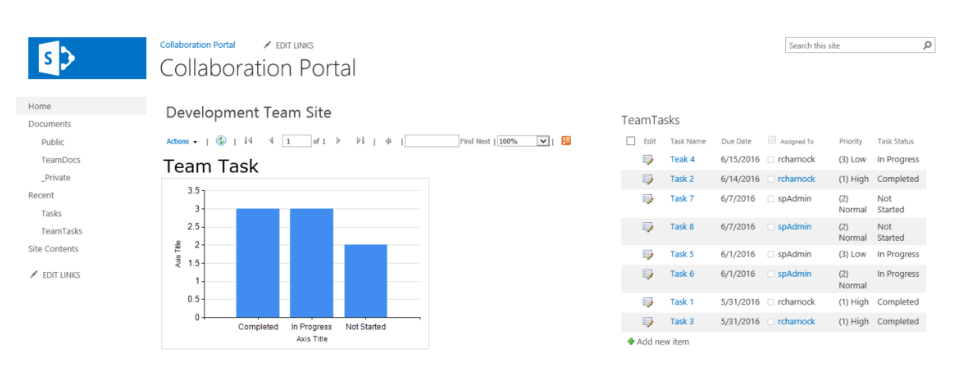
Quick and Dirty Reporting for SharePoint 2013 Applications - Part 2 Last week I shared with you how to build a report with Microsoft SQL Server 2012 Report Builder. This week we will dive into how to get these reports to display in your SharePoint environment. Part 2: Display the report in the SharePoint Navigate to a library within your SharePoint site. It can really be anywhere users who have access to the report data also have access. I like to use a library within the site where the source data is stored. Upload the report you just created and saved locally. Click the button: Open For a quick test, click on the report that just got uploaded. It should open and display live data. Note: this might be good enough, however you can also display it in a part of a page through a web part. Click the breadcrumb link to ...

2023-02-16T16:01:39+00:00

OneNote: How to use it in an organization

What is OneNote? OneNote is, as its name implies, an electronic notebook. It excels as a personal tool for recording ad hoc, unstructured information that you need to write down quickly without the need for a lot of planning and organization.  Information such as: Names, addresses, phone numbers Outlining/brainstorming documents Research notes Planning schedules and appointments Meeting notes Note that many of these information types may have a better place to record them in a structured way for sharing in the organizations.  For example: Contact information can be stored in Exchange, either in your personal contacts or in shared contacts; or in a CRM system. Finished documents should go in a document management repository. Research notes and meeting notes, however, are particularly good candidates for long-term storage in OneNote. Meeting notes also take advantage of a second key feature of OneNote—the power to share notes and even co-author notes with ...

2023-02-16T16:01:42+00:00

The Clock Is Ticking on Windows Server 2003

So I am sure by now you’re tired of seeing blog posts – and scare tactics – created by Microsoft evangelists about Windows Server 2003 .  I understand – but if so many companies weren’t still running these servers and holding onto them for dear life, bloggers like me could move on already. Honestly, when there are only 30 days until all support ends, it’s no joke if you haven’t even begun your migration away from 2003. As of June 14, there will be exactly thirty days until Microsoft pulls the plug. Over, finished, done. Regular support has been finished for a while now, but now paid extended support will also fall by the wayside. The minute that happens, you will be officially on your own with regard to this venerable platform.  Windows Server 2003 has served us well: Following its launch on April 14, 2003, users started enjoying its expanded networking ...

2023-02-16T16:01:59+00:00

This Is The End: Say Goodbye To Windows Server 2003 Extended Support

 It’s true: Microsoft will stop supporting Windows Server 2003 this coming July.   For a few years now, Microsoft has been saying goodbye to a generation of its most successful products, including Windows XP, Office 2003, and more. Microsoft is now getting ready to play The Doors’ epic goodbye song “The End” for their extremely successful Windows Server 2003 platform in just a few months.   For twelve years, Server 2003 has served companies well. More than a decade of regular updates and fixes have made it a solid, reliable platform for tens of millions of applications running on millions of servers worldwide.   This July, that comes to an end.   Microsoft pulled the plug on regular support in 2010, but many companies have bought time – or limped along – by depending on paid extended support. That’s all over soon.   Make no mistake: This is a big deal – an infinitely more ...

2023-02-16T16:02:01+00:00